Free · coming soon to iPhone
Moonhum
Drift off to rain on a tin roof, a distant thunderstorm or ocean waves. Mix the sounds you love, set a timer that fades them out, and sleep. Free, with no ads and no account.
Inside the app
A look around
What’s inside
Simple sounds for sleep
Mix by dragging
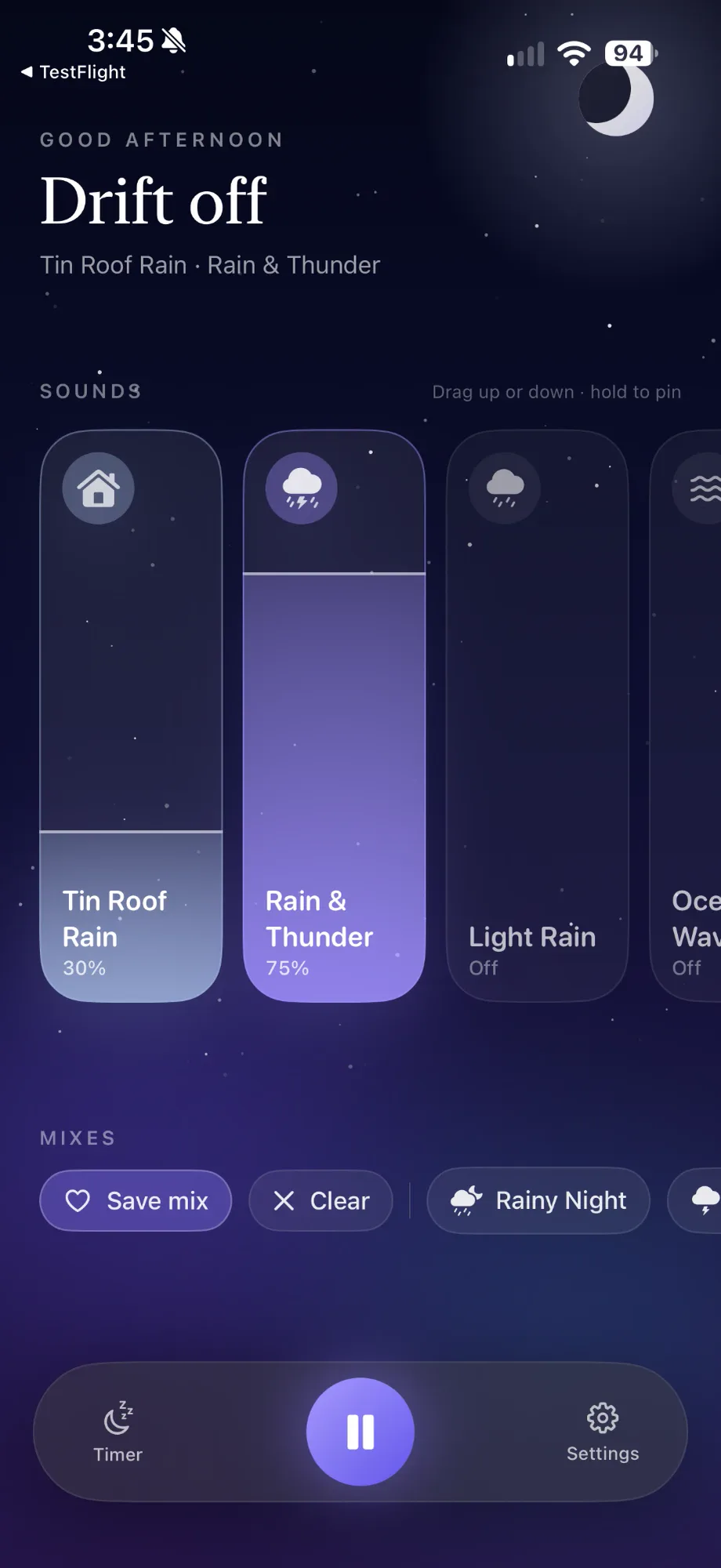
Drag any sound card up or down to set its volume, and hold one to pin it to the front. Every sound is built into the app, so it works offline.
Save your mixes
Found the perfect blend of rain and thunder? Tap Save mix, and it’s one tap away every night after.
A timer that fades out
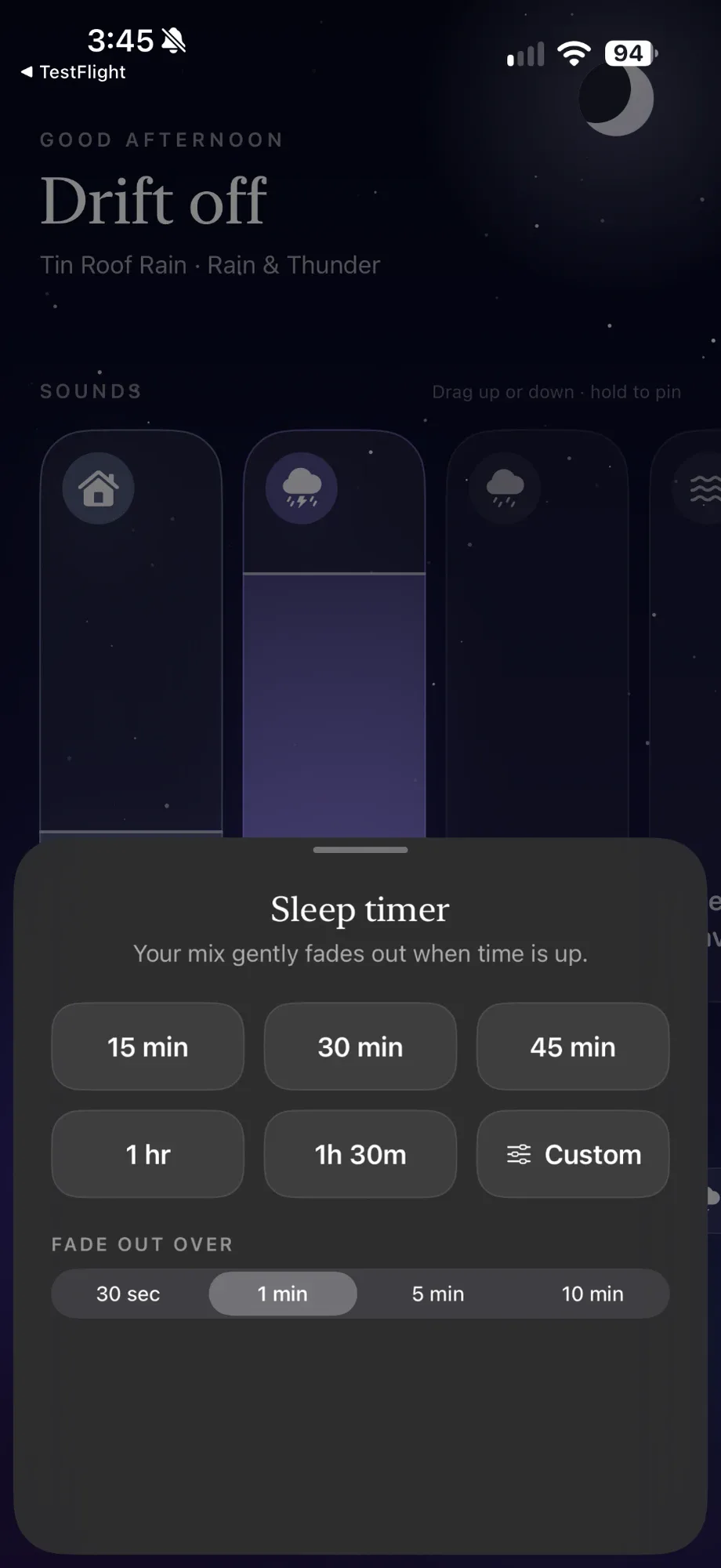
Pick 15 minutes to an hour and a half, or set your own, then choose how slowly it fades: from 30 seconds to 10 minutes.
A gentle wake-up alarm
Set a wake-up time and tone. On iOS 26 and later, the alarm is scheduled by iOS right on your phone.
Widgets, Control Center and Siri
Start sleeping from your Lock Screen, Control Center, or by saying “Start sleeping with Moonhum”.
Free, and nothing collected
No ads, no in-app purchases, no account and no analytics. The app never sends anything off your phone.
Price
Free. Really.
Moonhum costs nothing, with no ads, no subscriptions and no in-app purchases. Want more? Sleep Globes, our other sleep app, puts you in a different room every night.